
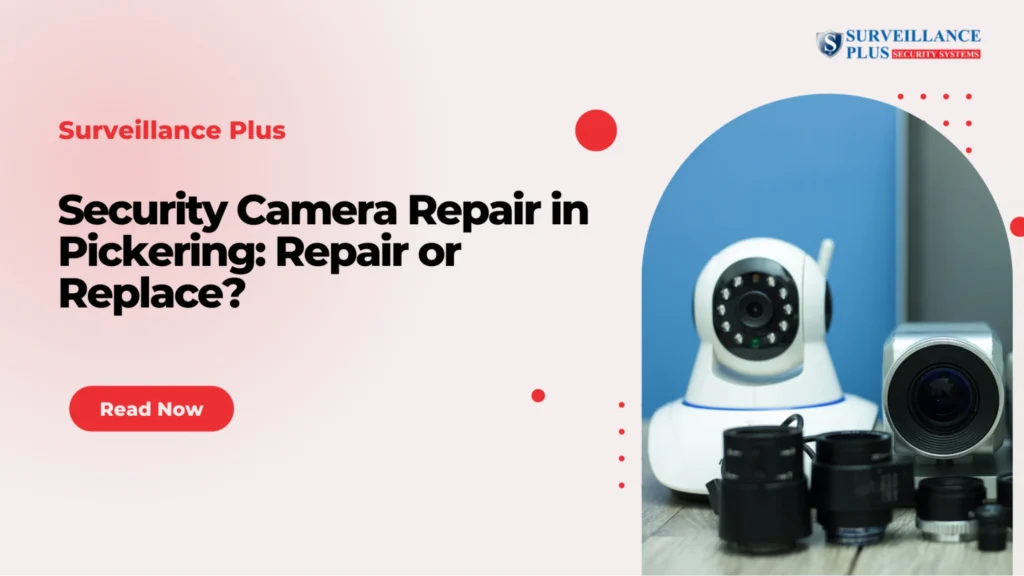
A security camera that suddenly stops working can leave your home or business feeling unprotected. When your camera shows a blurry image, goes offline, or stops recording, you may wonder if you should repair it or replace the entire system.
Surveillance Plus, we help you find the right solution based on your camera’s condition, repair needs and security goals. In some cases, a simple fix can bring your system back to normal without the cost of a full replacement.
In this guide, we will help you understand common issues like CCTV cameras not working, security cameras not recording, connection problems, and other faults. You will also learn when security camera repair in Pickering is the better choice and when upgrading to a new system makes more sense.
Why Is Your Security Camera Not Working?
When your security camera stops working, it’s normal to worry about your home’s or business’s safety. But don’t panic. Some camera problems are small and can be fixed without replacing the whole system. Before you spend money on a new camera, let’s look at some common issues and what you can do next.
Is Your Security Camera Showing a Blurry Image?
A security camera blurry image can make it hard to see faces, license plates, or other important details.
Check these things first:
- Clean the camera lens with a soft cloth.
- See if dust, rain, or spider webs are blocking the lens.
- Make sure the camera focus is correct.
- Look for cracks or damage on the lens.
If the picture is still blurry after these checks, you may need security camera blurry image repair to get clear video again.
Does Your Security Camera Have No Video Signal?
If your security camera has no video signal, the camera cannot send video to your monitor or recorder.
Start by checking:
- Loose or damaged cables
- Power connection to the camera
- DVR or NVR connections
- Network connection for IP cameras
Some CCTV camera connection problems are easy to fix. If everything looks fine but there is still no video, it’s a good idea to have the system checked by a technician.
Why Is Your Security Camera Offline?
A security camera offline message means the camera has lost its connection to the internet or your network.
Try these simple steps:
- Check if your Wi-Fi is working.
- Restart your router.
- Restart the camera.
- Make sure the network settings are correct.
If your camera keeps going offline, you may need wireless security camera repair to fix the problem.
Why Is Your Security Camera Not Recording?
If your security camera is not recording, you may miss important footage when you need it most.
Check the following:
- Is the storage full?
- Is the recording turned on?
- Is the hard drive working properly?
- Is the DVR or NVR working as it should?
If these things are fine and the camera still does not record, your CCTV camera not working properly may need professional repair.
Is Your Security Camera Night Vision Not Working?
Your camera should record clear video even at night. If your security camera night vision is not working, it may not protect your property after dark.
Look for these signs:
- The picture is very dark at night.
- The infrared lights do not turn on.
- The nighttime video is not clear.
A technician can check why your night vision camera is not working and repair the faulty parts if needed.
Are Power or Connection Problems Causing the Issue?
Some camera problems start with simple security camera power issues that are easy to miss.
Take a quick look at:
- The power adapter
- Power cables
- Loose connections
- The wall power outlet
If your camera keeps turning off or does not turn on at all, there may be a security camera power problem that needs professional repair. Fixing it early can help you avoid bigger problems later.
Your Security Camera Troubleshooting Checklist Before Calling a Technician
Before you call a technician, take a few minutes to check these simple things. Some security camera problems are caused by small issues that you can fix yourself. This quick security camera troubleshooting checklist can help you find the problem and decide if you need professional repair.
Security Camera Troubleshooting Checklist
☐ Check the power supply
- Make sure the camera is plugged in.
- Test the power outlet.
- Check if the power adapter is working.
☐ Inspect all cables and connections
- Look for loose or damaged cables.
- Make sure every cable is connected properly.
- Check the DVR, NVR, or network ports.
☐ Restart your security camera system
- Turn the camera off and on again.
- Restart the DVR or NVR.
- Reboot your Wi-Fi router if you use wireless cameras.
☐ Check your internet and network
- Confirm your internet is working.
- Make sure the camera is connected to Wi-Fi or the network.
- Check if the camera shows an offline status.
☐ Review your recording settings
- Make sure recording is turned on.
- Check that your storage is not full.
- Test if new footage is being saved.
☐ Clean the camera lens
- Remove dust, dirt, or water spots.
- Check for spider webs or other objects blocking the lens.
☐ Test the camera during the day and at night
- Check if the picture is clear.
- Make sure the night vision works properly.
☐ Listen for unusual sounds
- Clicking or buzzing sounds may be a sign of hardware damage.
☐ Look for warning messages
- Check your app or monitor for error messages such as “Security Camera Offline” or “No Video Signal.”
When Should You Call a Technician?
If you’ve completed this checklist and your camera still isn’t working, it’s time to let a professional inspect the system. A trained technician can quickly find hidden problems like damaged hardware, DVR or NVR faults, network issues, or wiring failures. Getting the issue repaired early can help you avoid bigger problems and keep your security system working when you need it most.
This format matches the heading intent perfectly because users immediately get a practical checklist they can follow before booking a repair service.
Repair or Replace Security Camera: Which Option Makes More Sense?
When a security camera stops working, replacing it isn’t always the right answer. Some problems can be repaired quickly, while others may be a sign that your system has reached the end of its life. The table below can help you compare both options and decide what makes the most sense for your situation.
| Question to Ask | Repair Is a Good Choice When… | Replacement Is a Better Choice When… |
| How old is your security camera? | It is still fairly new and has been working well. | It is an older system that no longer meets your needs. |
| How often does it stop working? | This is the first major issue. | The same problems keep coming back. |
| How much will the repair cost? | The repair is affordable compared to buying a new camera. | Repair costs are high and close to the price of a replacement. |
| Is the video quality still good? | The picture is clear once the issue is fixed. | The camera still produces poor-quality footage after repairs. |
| Can replacement parts still be found? | Yes, the required parts are available. | The parts are no longer available or are difficult to source. |
| Does your current system meet your security needs? | Yes, it still provides the features you use every day. | You want better video quality or newer security features. |
Replacement Options for Your Older Security Camera Systems
If repairing your camera is no longer practical, you don’t always need to replace your entire system. Depending on its condition, one of these options may be enough.
| Option | Best For You |
| Replace only one damaged camera | When the rest of the cameras and recorder are still working properly. |
| Upgrade from analog CCTV to IP cameras | If you want clearer video and a more reliable system. |
| Keep the existing cables | If the wiring is in good condition and supports the new cameras. |
| Add remote monitoring and mobile access | If you want to view your cameras from anywhere using your phone. |
| Upgrade to cameras with motion alerts | If you want faster notifications when activity is detected. |
How Much Does a Security Camera Repair Cost in Pickering?
If your security camera stops working, one of the first questions that comes to mind is, “How much will it cost to fix it?” The answer depends on what’s causing the problem. Some repairs are quick and affordable, while others may need new parts or more repair time. That’s why it’s always a good idea to have the system checked before deciding to replace it.
Here are the main things that can affect the repair cost:
- Type of camera: Basic CCTV cameras are usually less expensive to repair than IP or wireless security cameras.
- The problem itself: A loose cable or power issue usually costs less to fix than internal hardware damage.
- Parts that need replacing: If the camera needs a new lens, power adapter, or recorder part, the cost may be higher.
- Number of cameras: Repairing one camera costs less than repairing several cameras in the same system.
- Size of the security system: A larger home or business system may take more time to inspect and repair.
- Labour charges: The final cost also depends on the time needed to find and fix the problem.
In Pickering, most repairs fall within these general price ranges:
- Simple repairs: CAD $75 to $150 for issues like loose connections, power supply problems, or basic troubleshooting.
- Standard repairs: CAD $150 to $300 for replacing small parts, fixing recording issues, or repairing camera connections.
- Major repairs: CAD $300 to $600 or more for DVR/NVR repairs, multiple camera issues, or major hardware damage.
These prices are only estimates. The actual cost depends on your camera model and the condition of your system.
Home and Business Security Camera Repair Solutions in Pickering
Every property has different security needs. A camera problem at home is not always the same as one at a business. If you need a single camera repaired or help with a larger surveillance system, the right repair can get your security back on track without replacing everything.
Home Security Camera Repair in Pickering for Everyday Protection
Your home security cameras help protect your family, property and valuables. When a camera stops working, it can leave important areas without proper coverage. Our home security camera repair in Pickering service is designed to fix common problems quickly so your system works the way it should.
We can help repair:
- Indoor and outdoor security cameras
- Video doorbell and door cameras
- Wireless security cameras
- Driveway and backyard cameras
- Cameras that are offline, not recording, or showing poor video quality
If you need a small repair or complete residential security camera repair in Pickering, we’ll inspect the system, find the problem and recommend the best solution.
Commercial Security Camera Repair in Pickering for Reliable Business Security
A working security system is important for offices, stores, warehouses and other commercial properties. Camera problems can affect daily operations and leave parts of your business unmonitored. Our commercial security camera repair in Pickering service helps keep your surveillance system running smoothly.
We repair some types of business security systems, including:
- Office surveillance cameras
- Retail store security cameras
- Warehouse and industrial camera systems
- Multi-camera surveillance systems
- DVR and NVR recording systems
If you need business security camera repair in Pickering, we’ll inspect your cameras, recording equipment and connections to make sure your entire system is working reliably again.
Need Security Camera Repair in Pickering? Let Surveillance Plus Help
A security camera that isn’t working can leave your home or business without the protection you depend on. The good news is that not every problem means you need a new system. In some cases, the right repair can get your cameras working properly again and help you avoid unnecessary costs.
Surveillance Plus, we take the time to understand what’s causing the problem before recommending a solution. If your camera has stopped recording, gone offline, lost its night vision, or isn’t showing a clear picture, our team carefully checks the entire system to find the right fix. If a repair is the best option, we’ll explain why. If replacing part of the system makes more sense, we’ll help you choose the solution that fits your needs.
If you need help with a home security camera or a commercial surveillance system, we’re committed to providing reliable service and honest advice every step of the way.
Contact 📞+ (416) 837-5059 today for professional security camera repair in Pickering and let our team help keep your property safe with a security system you can count on.
Frequently Asked Questions About Security Camera Repair in Pickering
-
How do I know if my security camera should be repaired or replaced?
The best choice depends on the age of your camera, the type of problem and the repair cost. Small issues like power failures, loose cables, or recording problems can usually be repaired. If your system is old, has frequent breakdowns, or no longer provides the video quality you need, replacing it may be the better long-term option. A professional inspection can help you make the right decision.
-
How much does security camera repair cost in Pickering?
The cost depends on the type of camera, the damage and if any replacement parts are needed. Simple repairs are generally more affordable than fixing major hardware problems or replacing recording equipment. After inspecting your system, a technician can provide a clear estimate and explain if repairing your camera or upgrading it offers better value.
-
Can home and business security camera systems both be repaired?
Yes. Most security camera problems can be repaired in both residential and commercial systems. This includes indoor and outdoor cameras, wireless cameras, IP cameras, DVRs, NVRs and multi-camera surveillance systems. The repair process starts with a full inspection to find the exact cause of the problem and recommend the right solution for your property.
-
What should I do before calling a security camera repair technician?
Before booking a repair, check that the camera has power, inspect the cables, restart the camera and recorder and make sure your internet connection is working if you have a wireless system. Also, check your recording settings and available storage space. If the problem continues after these basic checks, it’s time to have the system inspected by a professional.
-
How can I keep my security camera system working properly for longer?
Regular maintenance is one of the best ways to avoid unexpected problems. Clean the camera lenses, check cables for damage, test the recording system and update your camera software when needed. Scheduling a professional inspection every so often can also help find small issues early, improve the life of your equipment and keep your security system working reliably year-round.
